
PhotoRec Recover lost files, videos, and photos from any storage device
Trusted open-source data recovery tool that ignores file systems to find and restore underlying data safely. Free, read-only, and maintained with transparency.
Read-only by design • GPL license • Recuva alternative
What is PhotoRec?
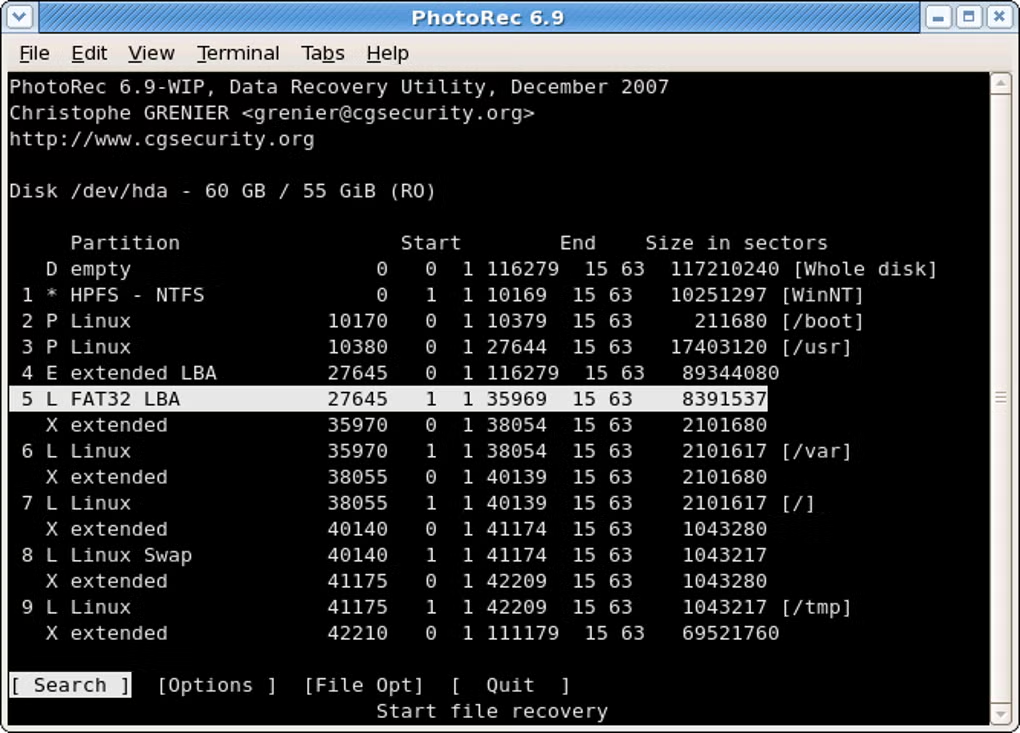
PhotoRec is an open-source data recovery utility that focuses on raw data carving. It ignores file systems such as FAT, NTFS, exFAT, ext2/ext3/ext4, and HFS+ to locate and recover the underlying file data. This approach makes PhotoRec effective on formatted, corrupted, or damaged partitions where directory structures have been lost.
PhotoRec works read-only against the source media, guaranteeing the safety of your drive. It is bundled with TestDisk, its companion tool for partition recovery.
Key Features
View all featuresBroad File Format Support
Recovers 480+ file types including JPEG, PNG, ZIP, Office, PDF, and more.
Storage Media Compatibility
Works with hard disks, SD cards, USB flash drives, CD‑ROMs, and cameras.
Raw Data Recovery
Ignores file systems to carve data from formatted or corrupted partitions.
Read‑Only Process
Never writes to source media, protecting the integrity of your drive.
Companion to TestDisk
Use TestDisk to recover partitions, then PhotoRec to restore files.
Step‑by‑Step Guides
Clear instructions for PhotoRec CLI and QPhotoRec GUI recovery.
Real Use Cases
Photographers
Recover RAW and JPEG files from faulty SD cards and formatted camera storage.
IT Administrators
Handle corrupted volumes and restore user data after accidental reformats.
Everyday Users
Recover documents, videos, and photos deleted from USB flash drives or disks.
Recovery Comparison Preview
PhotoRec
- Open-source, GPL
- Read-only recovery
- Raw data carving
- 480+ formats
Recuva
- Proprietary
- File system-based
- Windows focused
- Paid features
Disk Drill
- Proprietary
- Cross‑platform
- Freemium
- File system tools
EaseUS
- Proprietary
- Windows/macOS
- Paid tiers
- File system recovery
For partitions and lost volumes, use TestDisk together with PhotoRec.
Repair Partitions with TestDisk
TestDisk is a free, open-source data recovery software from CGSecurity. It was primarily designed to help you recover lost partitions and make non-booting disks bootable again when the cause is faulty software, certain viruses, or human error.
It is a powerful partition and data recovery utility that works at the file-system and partition-table level. Select the disk, choose the partition table type, and let TestDisk analyze and search for lost or damaged structures.
Key Capabilities
-
Partition Recovery Recover deleted partitions and fix partition tables.
-
Boot Sector Repair Rebuild NTFS/FAT boot sectors and fix MFT.
-
Undelete Files Restore files from FAT, exFAT, NTFS, and ext2 filesystems.
Trust & Transparency
- Read-only by design. PhotoRec never writes to the source drive.
- Open-source under GPL. Inspect the code and verify integrity.
- Companion with TestDisk for comprehensive recovery workflows.
Ready to start recovery?
Follow the step‑by‑step guide and recover files safely.